Why Does PETG String?
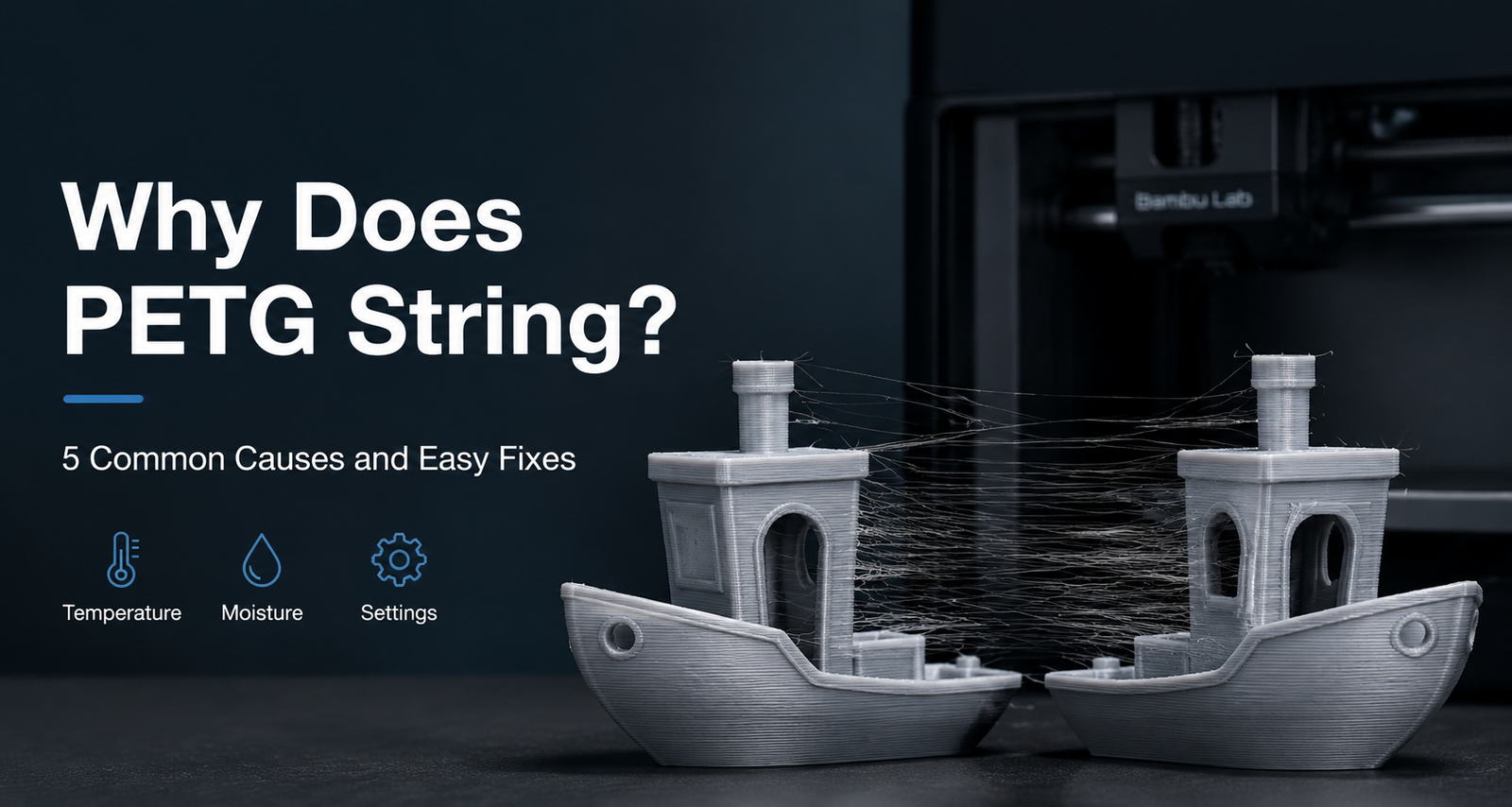
PETG stringing is usually caused by excessive nozzle temperature, moisture absorption, incorrect retraction settings, or slow travel movements. Unlike PLA, PETG remains molten for longer and tends to leave fine strands of plastic when printer settings are not properly optimized.
In most cases, reducing the printing temperature, drying the filament, and adjusting retraction settings can significantly reduce stringing. If you’re experiencing thin hairs between printed parts, the issue is often easier to fix than most users expect.
A Common PETG Problem We See Every Week
One of the most common questions we receive from customers is surprisingly simple:
“Why does my PETG filament leave thin strings everywhere?”
A few weeks ago, a customer contacted us after switching from PLA to PETG for the first time. His PLA prints had always looked clean, but after loading a new spool of PETG, fine strands of filament started appearing between different parts of the model.
At first, he assumed something was wrong with the printer. He checked the nozzle, leveled the bed again, and even tried a different slicer profile. The stringing was still there.
The printer wasn’t actually the problem.
What he was experiencing is one of the most common PETG printing issues. In most cases, stringing is caused by a combination of temperature, moisture, travel movement, and retraction settings rather than a hardware failure.
The good news is that PETG stringing is usually easy to improve once you understand what’s causing it.
What PETG Stringing Actually Looks Like
Not all PETG printing defects are the same.
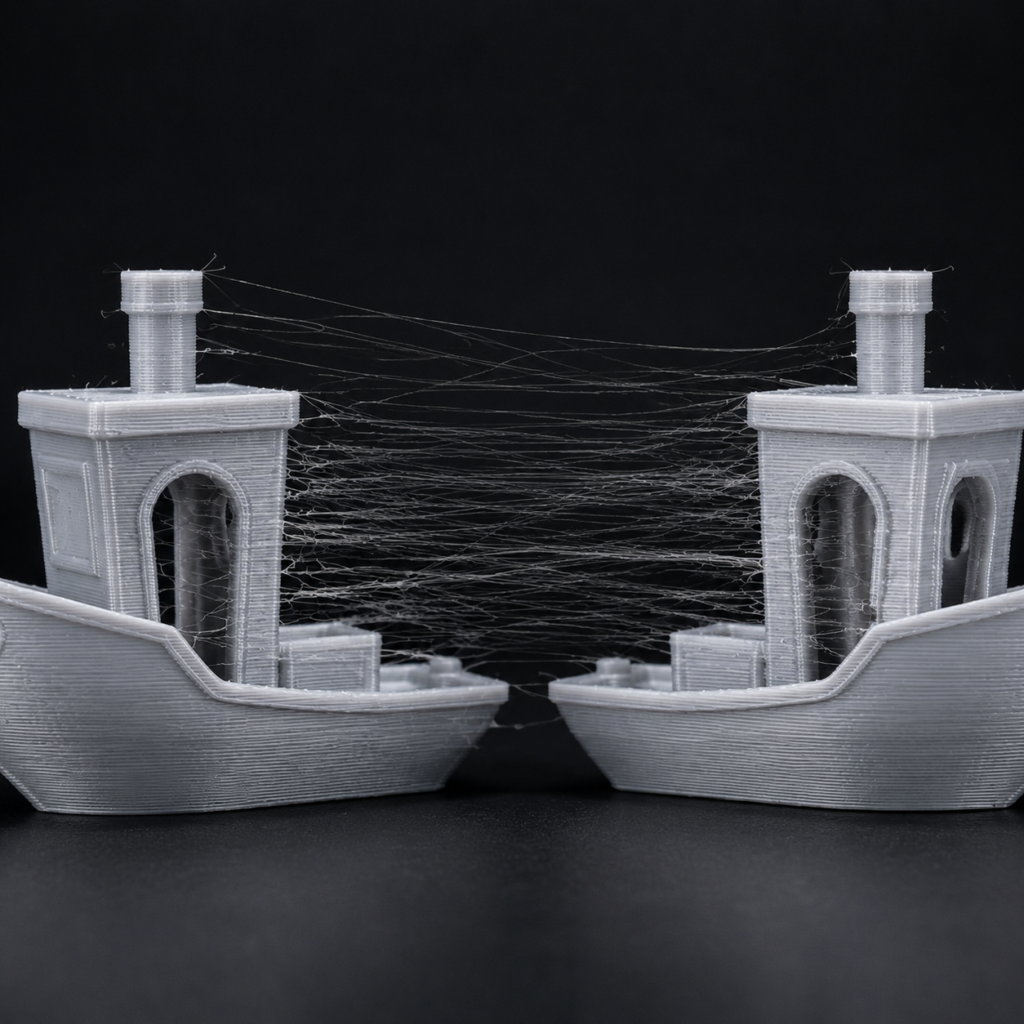
When people talk about PETG stringing, they’re usually referring to the thin strands of plastic that appear between separate sections of a print. These strands form when the nozzle moves from one area to another and a small amount of molten filament continues to ooze out during travel.
In mild cases, stringing may only leave a few hair-like strands that can be removed easily after printing. In more severe cases, large webs of filament can form between parts, affecting surface quality and increasing post-processing time.
One reason PETG users often notice this issue more than PLA users is that PETG remains soft and sticky for longer after leaving the nozzle. This makes it more likely to create strings if temperature, moisture, or retraction settings are not properly optimized.
The good news is that PETG stringing is usually predictable. Once the underlying cause is identified, it can often be reduced significantly without changing printers or hardware.
Why PETG Strings More Than PLA
One thing we’ve noticed over the years is that many users experience stringing shortly after switching from PLA to PETG.Many beginners ask the same question: why does PETG string more than PLA when the printer settings are nearly identical?
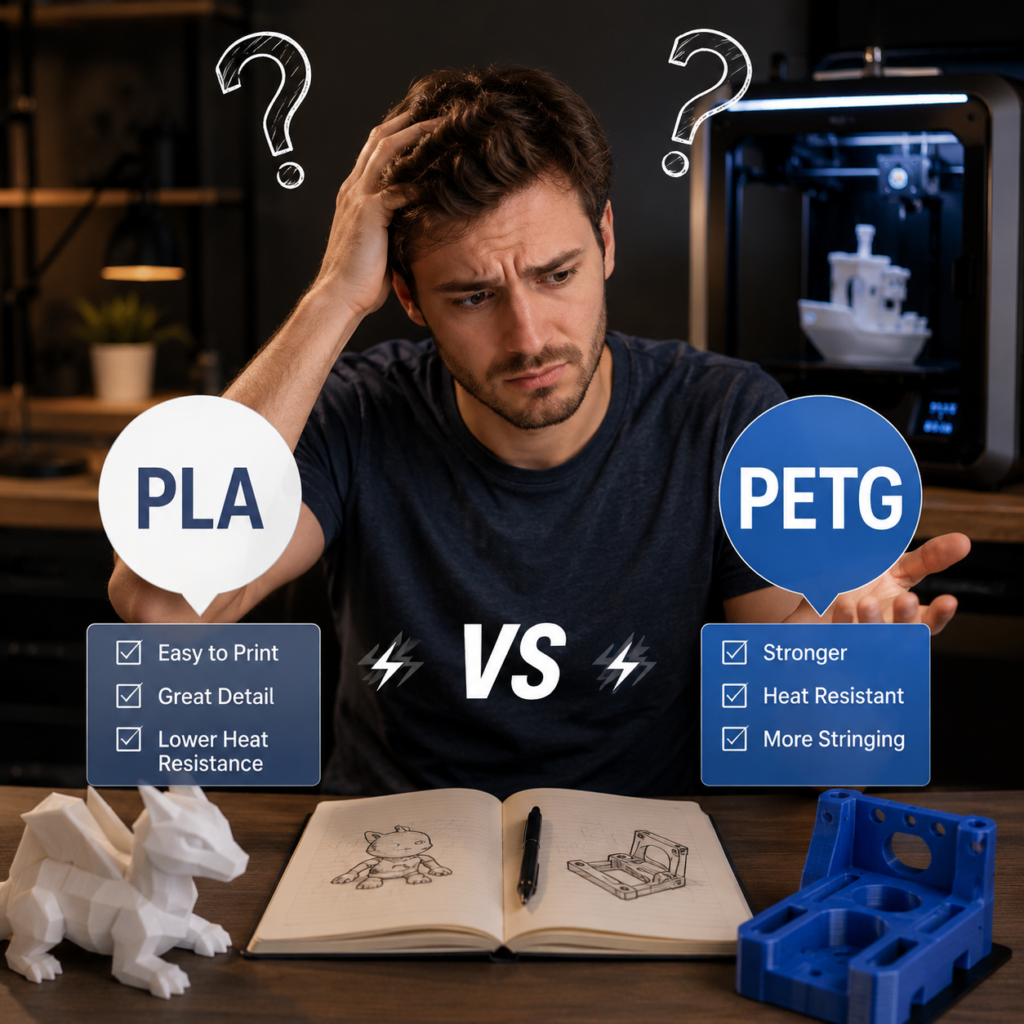
In fact, this is one of the reasons we mentioned in our PLA vs PETG comparison guide that PETG usually requires more attention to temperature, retraction, and moisture control than PLA.
In many cases, nothing else has changed. Users are printing with the same machine, the same nozzle, and often very similar slicer settings. The only difference is the filament.
This can be frustrating, especially for beginners who are used to getting clean results with PLA. After loading PETG for the first time, they suddenly start seeing fine strands between different sections of a print and assume something is wrong with the printer.
Most of the time, the printer isn’t the problem.
PETG simply behaves differently from PLA.
Compared with PLA, PETG remains molten for longer after leaving the nozzle and tends to be slightly stickier during travel movements. Small amounts of material can continue to ooze from the nozzle, creating the thin strings many users notice on their finished prints.
The good news is that PETG stringing is usually predictable. Once you understand the underlying cause, it can often be reduced significantly with a few simple adjustments.
If you’re still deciding whether PLA or PETG is the better choice for your projects, you can read our complete comparison guide here:
PLA vs PETG: Which Filament Should You Choose?
The Most Common Causes of PETG Stringing
Although PETG stringing can look frustrating, the underlying causes are usually easier to identify than most people expect.
After helping customers troubleshoot PETG printing issues, we’ve found that the majority of stringing problems can be traced back to a handful of common factors. In many cases, fixing just one of them can dramatically improve print quality.
Let’s look at the most common causes of PETG stringing and how to address them.
Printing Temperature Is Too High
If we had to pick one setting that causes PETG stringing most often, nozzle temperature would be near the top of the list.
Many users increase the temperature when they first switch to PETG because they assume hotter filament will print better. While PETG does require a higher temperature than PLA, there is a point where extra heat starts creating new problems instead of improving print quality.
When the nozzle temperature is too high, PETG stays molten for longer and becomes more likely to ooze from the nozzle during travel movements. Even a small amount of excess material can stretch into thin strands as the print head moves across open spaces.
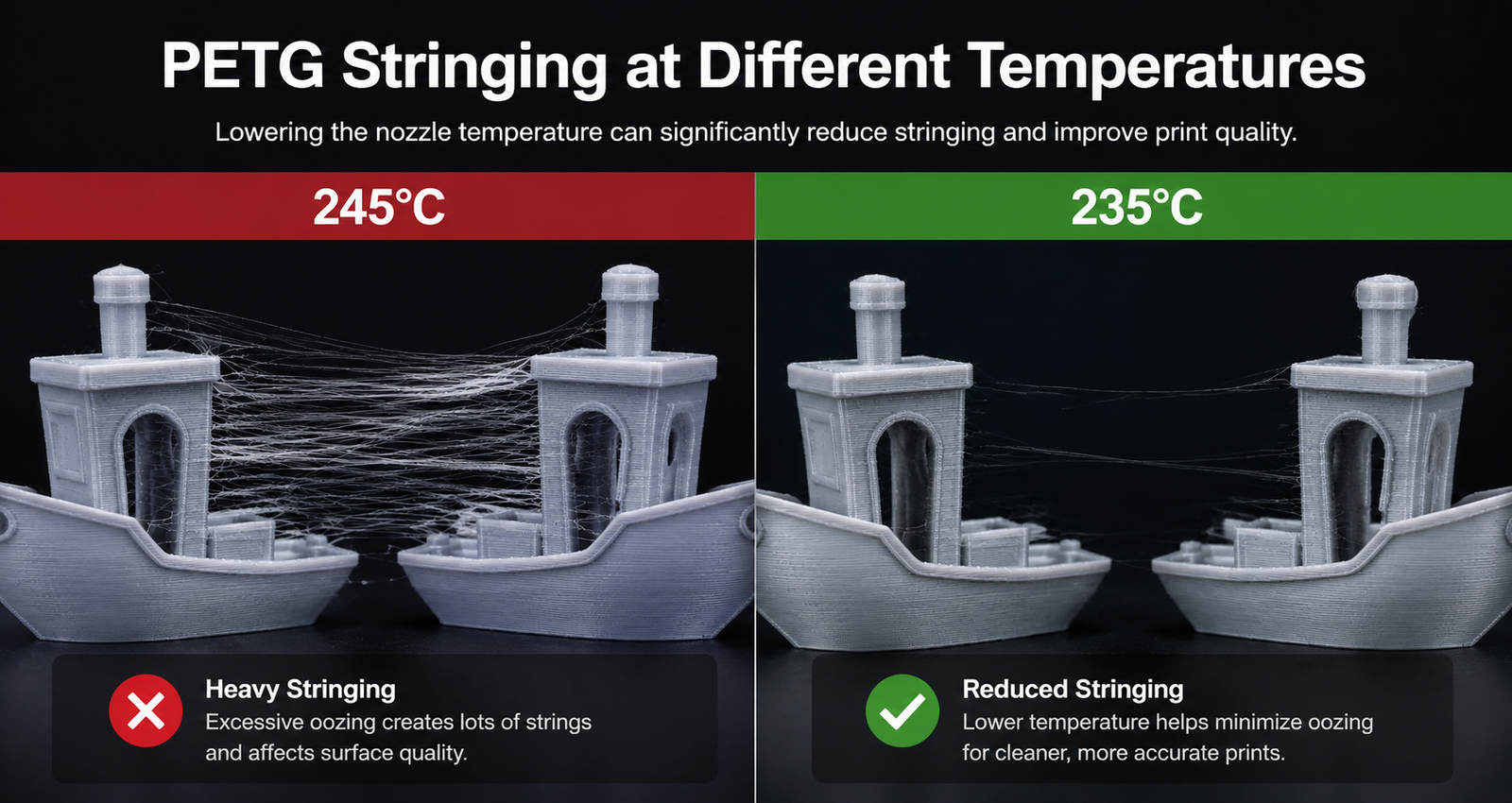
We’ve seen cases where customers were printing PETG at 250°C or higher and experiencing heavy stringing throughout the model. Simply reducing the temperature by 5–10 degrees often produced a noticeable improvement without changing any other settings.
The ideal temperature will vary depending on the filament brand, printer, and printing speed, but most PETG filaments perform well between 230°C and 245°C. If you’re struggling with stringing, lowering the nozzle temperature slightly is often one of the easiest adjustments to test first.
The image below shows how excessive temperature can increase stringing compared with a properly tuned PETG profile.
Your PETG Has Absorbed Moisture
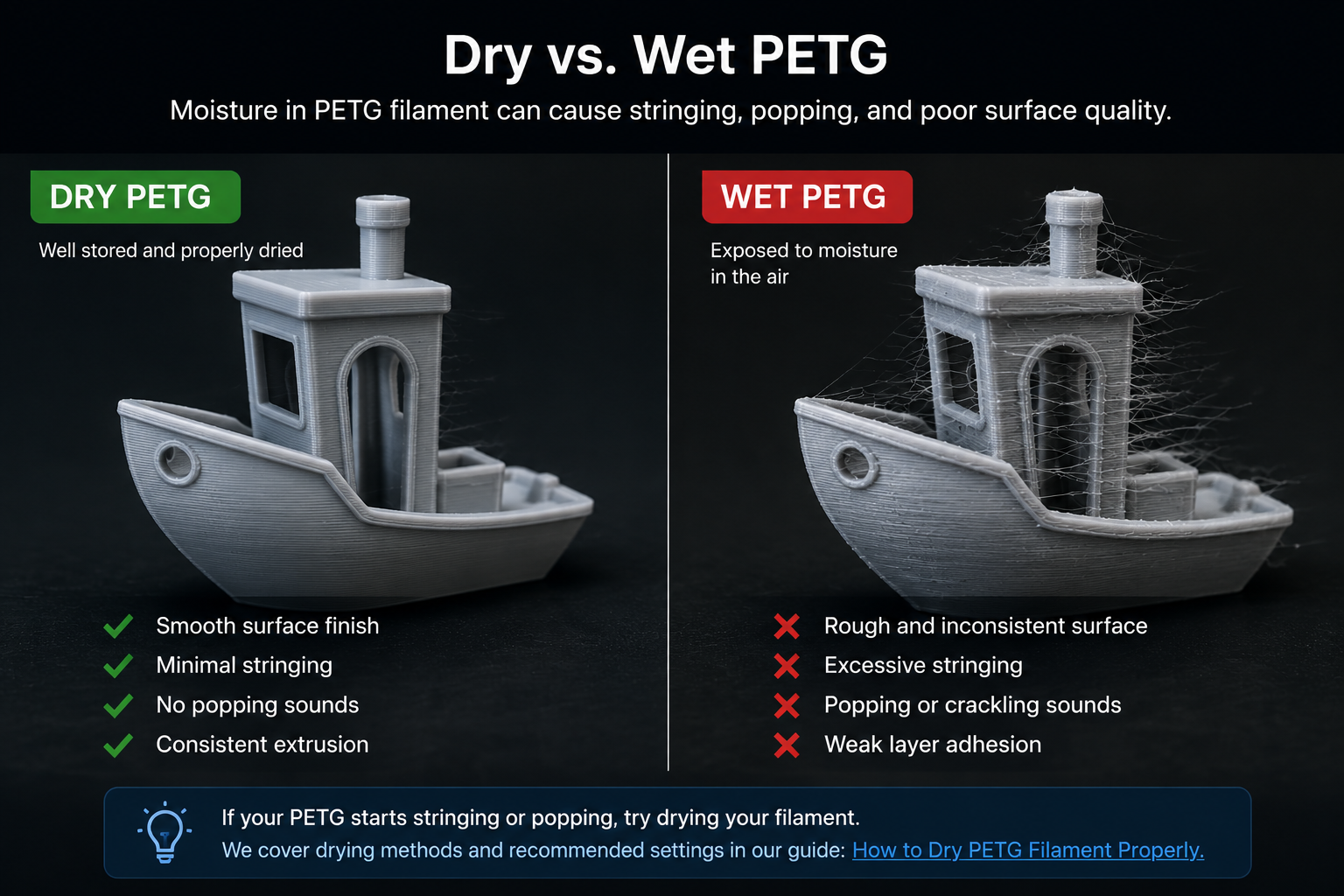
Not every PETG stringing problem starts with temperature.
Over the years, we’ve seen plenty of users spend hours adjusting nozzle temperatures, retraction distances, and print speeds, only to discover that the real issue had nothing to do with their slicer settings.
It was the filament.
One thing that surprises many beginners is how quickly PETG can absorb moisture from the air. A brand-new spool may print beautifully straight out of the package, but after sitting next to a printer for a couple of weeks, the results can start to change.
The first signs are usually subtle.
Maybe a little more stringing than before.
Maybe a rougher surface finish.
Sometimes you’ll even hear faint popping or crackling sounds coming from the hotend during printing.
In many cases, that’s moisture.
When wet PETG passes through a hot nozzle, tiny pockets of water turn into steam. As the steam escapes, it can force small amounts of molten plastic out of the nozzle, creating the thin strands that appear between different parts of a print.
This is one reason PETG often needs more attention than PLA when it comes to storage. Bambu Lab also notes in its Official Bambu Lab Wiki that PETG is a hygroscopic material, meaning it naturally absorbs moisture from the surrounding environment over time.
From our experience, moisture is one of the most overlooked causes of PETG stringing. We’ve had customers change half a dozen settings without much improvement, then run the exact same print after drying the spool and see a noticeable difference immediately.
If your PETG has been sitting out for more than a few days, especially during humid weather, drying the filament is often worth trying before making more advanced adjustments.
We’ll cover recommended drying temperatures, drying times, and storage methods in our upcoming How to Dry PETG Filament Properly guide.
Retraction Settings Need Adjustment
If temperature and moisture are under control but you’re still seeing strings between parts, retraction settings are worth checking next.
Retraction works by pulling a small amount of filament back into the nozzle before the print head moves to a new location. The goal is simple: reduce pressure inside the hotend and prevent molten PETG from leaking out during travel movements.
One mistake we see quite often is users copying PLA retraction settings directly to PETG. While that may work in some situations, PETG usually behaves differently and often requires additional tuning.
Too little retraction can allow filament to ooze from the nozzle. Too much retraction can create other issues such as inconsistent extrusion or nozzle clogs. Finding the right balance is usually more effective than simply increasing the retraction distance as much as possible.
If you’ve already dried your filament and optimized printing temperature, small retraction adjustments can often help remove the last remaining strings from an otherwise good print.
Travel Speed Is Too Slow
Another setting that can contribute to PETG stringing is travel speed.
When the print head moves between different sections of a model, the nozzle is still carrying molten PETG. If those travel movements are slow, the filament has more time to ooze out and create thin strands between printed areas.
This doesn’t mean travel speed is always the main problem. In our experience, temperature and moisture are usually responsible for most stringing issues. However, once those factors have been addressed, travel speed can make a noticeable difference.
We’ve occasionally seen prints where stringing was reduced simply by increasing travel speed, allowing the nozzle to spend less time crossing open spaces.
For this reason, travel speed is often one of the final settings worth checking when you’re trying to fine-tune PETG print quality. Small adjustments may not eliminate severe stringing on their own, but they can help clean up the last few strands on an otherwise well-tuned print.
The Nozzle Is Dirty
Sometimes the problem isn’t the filament or the slicer settings at all.
A partially contaminated nozzle can also contribute to PETG stringing.
Over time, small amounts of burnt material, dust, or residue from previous filaments can build up inside the nozzle. When PETG passes through, the material flow may become less consistent, causing small amounts of filament to leak during travel movements.
This issue is especially common when switching between different materials or after long periods of printing without nozzle maintenance.
The symptoms are often subtle. You may notice slightly increased stringing, rougher surface quality, or inconsistent extrusion in certain areas of the print.
Fortunately, nozzle-related stringing is usually easy to check. If you’ve already adjusted temperature, dried the filament, and optimized retraction settings without much improvement, inspecting or cleaning the nozzle is often a worthwhile next step.
While a dirty nozzle is rarely the primary cause of severe PETG stringing, it can make an existing stringing problem noticeably worse.
The Cause We See Most Often
After helping customers troubleshoot PETG printing issues over the years, we’ve noticed an interesting pattern.
Most people assume stringing is caused by a slicer setting.
Their first reaction is usually to adjust retraction distance, increase travel speed, or download a different print profile.
Sometimes that works.
But surprisingly often, it doesn’t.
If we had to choose the single most common cause of PETG stringing, moisture would be near the top of the list.
We’ve seen customers spend hours changing settings without seeing much improvement. Then they dry the filament, run the exact same file again, and the stringing is reduced dramatically.
This is one reason we always recommend checking the condition of the filament before making major changes to print settings.
PETG is a material that rewards consistency. When temperature, storage conditions, and moisture levels are under control, it can produce excellent results and highly durable parts.
In many cases, solving PETG stringing isn’t about finding a secret slicer setting. It’s about identifying which basic factor is being overlooked.
Recommended PETG Settings for Beginners
One thing worth mentioning is that there isn’t a single PETG profile that works for every printer.
Different brands, hotends, nozzles, and printing speeds can all affect the final result. However, after helping customers get started with PETG, we’ve found that the settings below are usually a good starting point for most modern FDM printers.
If you’re experiencing stringing, use these values as a baseline before making small adjustments based on your printer and filament.
| Setting | Recommended Range |
|---|---|
| Nozzle Temperature | 230°C – 245°C |
| Bed Temperature | 70°C – 80°C |
| Retraction (Direct Drive) | 0.8 – 1.2 mm |
| Retraction (Bowden) | 3 – 6 mm |
| Print Speed | 40 – 80 mm/s |
| Travel Speed | 150 – 250 mm/s |
| Cooling Fan | 30% – 60% |
If you’re unsure where to begin, start by adjusting only one setting at a time.
Many PETG users change multiple settings simultaneously and then struggle to identify which adjustment actually improved the print. Small, controlled changes usually produce better results than making large changes all at once.
For most stringing issues, temperature and filament condition should be checked before making major retraction adjustments.
If you’d like a deeper explanation of how temperature affects PETG performance, we’ll cover that in our upcoming PETG Temperature Guide.
Likewise, if moisture is causing excessive stringing, our How to Dry PETG Filament guide will walk through recommended drying methods and storage practices.
It’s also worth remembering that even the best slicer settings can’t completely compensate for inconsistent filament. Diameter consistency, winding quality, and moisture control all play a role in how PETG behaves during printing.
You can compare recommended printing temperatures and material specifications across our PETG filament collection to find settings that match your printer and application.
How to Prevent PETG Stringing Before It Starts
The easiest way to fix PETG stringing is to prevent it from happening in the first place.
After helping customers troubleshoot PETG printing issues, we’ve found that most stringing problems can be avoided with a few simple habits.
The first is moisture control.
PETG naturally absorbs moisture from the air over time, even when it isn’t being used. Once moisture enters the filament, stringing often becomes more noticeable, regardless of how much time is spent adjusting slicer settings.
For newly opened spools, we generally recommend storing PETG in a sealed container with desiccant whenever possible. If the filament has been exposed to air for an extended period, drying the spool before printing is often one of the most effective troubleshooting steps.
In many cases, drying PETG for 4-6 hours before printing can noticeably reduce stringing and improve surface quality. If you’re looking for a simple way to maintain filament performance, you can also explore our filament dryer solutions and recommended drying practices.
Temperature is another factor worth checking early. Before making major retraction adjustments, verify that the nozzle temperature falls within the filament manufacturer’s recommended range.
It’s also a good idea to run a small test print whenever you switch to a new PETG brand. Different formulations can behave slightly differently, even when the recommended settings appear similar.
Finally, avoid changing multiple settings at once. Small adjustments followed by short test prints are usually the fastest way to identify the real cause of stringing.
Most successful PETG users don’t rely on a secret slicer profile. They focus on consistent storage, proper drying, and gradual tuning based on real print results.
Need Help Choosing PETG?
Not all PETG filaments print exactly the same.
Printing temperature, moisture resistance, diameter consistency, and winding quality can all influence how the material behaves during printing.
If you’re troubleshooting stringing issues, it’s worth checking both your print settings and the condition of the filament itself.
You can explore our PETG filament collection to compare recommended printing temperatures, material specifications, and available colors for different applications.
For additional PETG recommendations, drying instructions, and material specifications, Bambu Lab also provides useful technical resources in its official wiki.
If you’re still having trouble with PETG stringing or aren’t sure which material is best for your printer, feel free to contact our team. We’re always happy to help.
Final Thoughts
PETG stringing can be frustrating, especially when a print looks great in every other way.
The good news is that stringing is usually one of the easier PETG problems to solve.
In most cases, the issue comes down to a handful of common factors such as temperature, moisture, retraction settings, travel movements, or basic nozzle maintenance. Once the root cause is identified, even small adjustments can make a noticeable difference.
If there’s one thing we’ve learned from helping customers troubleshoot PETG prints, it’s that changing dozens of settings rarely solves the problem faster. Starting with the basics—especially filament condition and drying—often produces better results than chasing advanced slicer tweaks.
PETG remains one of the most versatile materials available for FDM printing. With proper storage, consistent settings, and a little patience, it can produce strong, durable parts with excellent print quality.
And once you understand why PETG strings, preventing it becomes much easier.
Continue Reading
Want to learn more about how PETG compares with PLA?
- Read our complete PLA vs PETG comparison guide.
- Next: How to Dry PETG Filament Properly